Listen to the brief overview
The direct answer
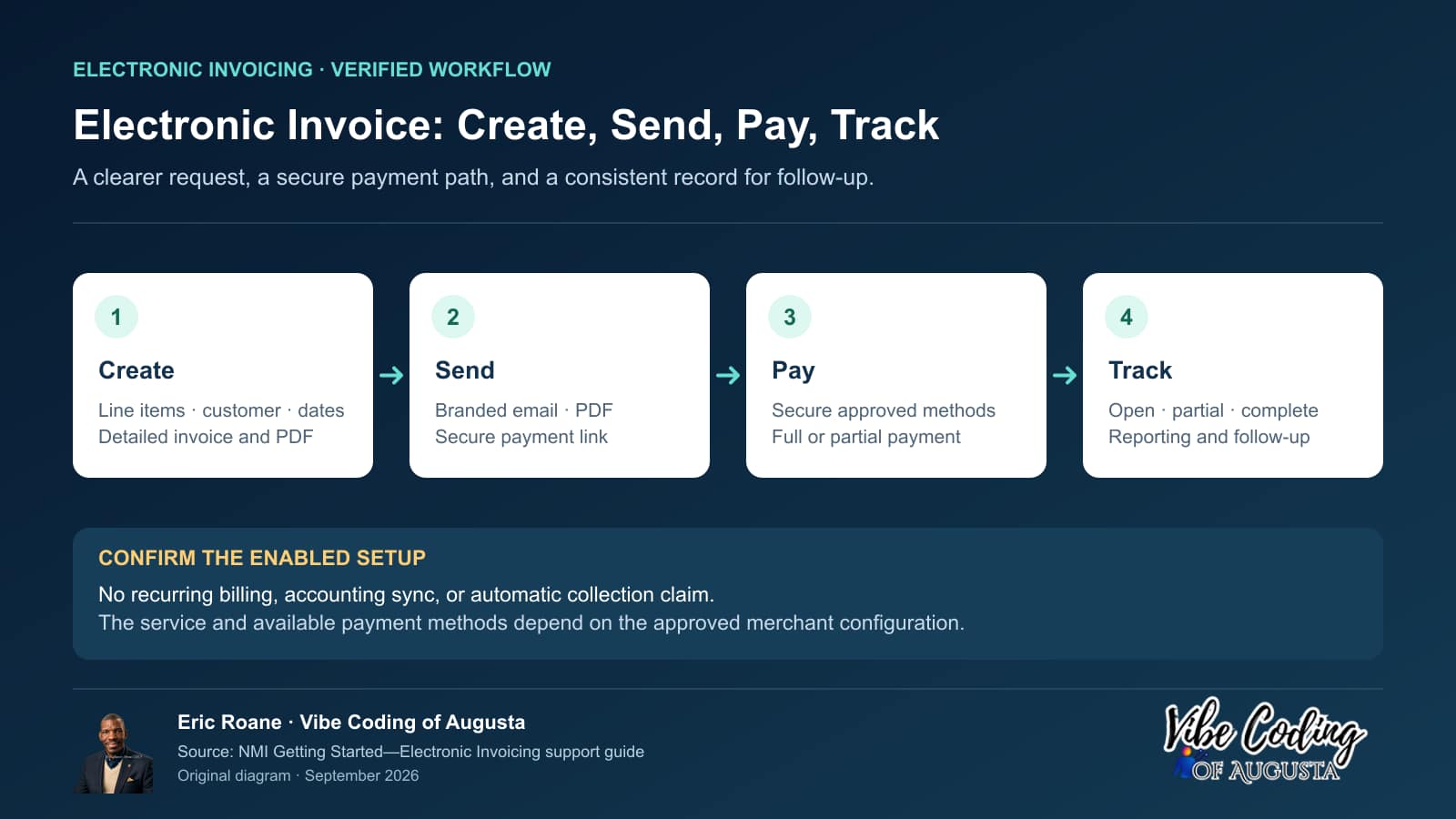
Electronic invoicing gives a business a structured way to describe what is owed, send the customer a branded invoice, provide a secure payment link, and track what happened afterward.
That is different from typing an amount into an email and hoping somebody replies. It is also different from accounting. Invoicing can improve the payment-request workflow, but it does not replace bookkeeping, tax advice, job costing, financial statements, or the business’s legal agreements.
NMI’s current Electronic Invoicing support material says merchants can create invoices with line-by-line detail, generate PDFs, email customers a secure payment link, and manage invoices through the Merchant Portal or an API. NMI also lists support for full or partial payments, multiple currencies, reporting, and several payment methods, subject to the merchant’s enabled services and processor configuration.
Which CSRA businesses are a strong fit?
Contractors and home services
Plumbers, electricians, HVAC companies, remodelers, landscapers, roofers, painters, cleaners, and other service companies often need more detail than a simple payment request provides. An invoice can show labor, materials, service dates, deposits, approved changes, and the remaining balance.
The invoice should reflect the actual agreement. It should not silently change the scope, create a new fee, or replace a required contract or change order.
Repair shops and technical services
Auto, equipment, computer, appliance, and other repair businesses may need to list diagnostics, parts, labor, tax, credits, and prior payments. A secure pay link can give the customer a direct next step after approving the work.
Professional offices
Consultants, agencies, photographers, designers, trainers, property-service providers, and other professionals may invoice by project, phase, retainer, or service period. A consistent branded invoice can help customers recognize the sender and understand what the charge covers.
Cleaning, maintenance, and repeat services
Businesses that serve the same homes, offices, churches, associations, or commercial properties every month may create a new invoice for each completed service period. If they need automated recurring billing, that is a separate NMI service and must be evaluated and enabled separately.
Business-to-business sellers
Some local buyers require purchase-order references, line items, PDFs, contact names, or internal approval before payment. Electronic invoicing can organize that request, but it does not guarantee that the customer’s accounts-payable process will move faster.
What a useful invoice should contain
A professional invoice normally needs enough information for the customer to recognize the obligation and for both sides to reconcile it later:
- The correct business identity and contact path.
- A unique invoice number.
- Invoice and due dates.
- The customer or authorized billing contact.
- Clear line items, descriptions, quantities, or service periods.
- Taxes, discounts, deposits, credits, and balance calculations where applicable.
- The approved payment methods and secure payment route.
- The relevant terms, without hiding material conditions.
Do not put unnecessary sensitive information in the invoice or email. Regulated and privacy-sensitive businesses should review what can be displayed, transmitted, and retained.
How the workflow can reduce manual follow-up
The biggest operational value is consistency. A repeatable invoicing process can help the business:
- Create the payment request from a standard format.
- Send it to the correct billing contact.
- Give the customer one-click access to a secure payment page.
- Preserve a PDF or transaction record.
- Track whether the invoice remains open, has been partially paid, or is complete.
- Use the invoice status and reporting tools to identify balances that need staff follow-up.
- Reconcile payments with the job or customer record.
That can reduce back-and-forth, but it does not eliminate customer questions, disputes, or collection work. A human still needs to resolve incorrect invoices, unclear scope, duplicate charges, refunds, and special arrangements.
Electronic Invoicing versus Text to Pay
Use Electronic Invoicing when the customer needs detail, documentation, a PDF, full or partial-payment handling, tracking, reporting, or a formal record.
Use Text to Pay when the amount is already understood and the main need is a convenient mobile payment request.
Some businesses may use both. For example, a contractor could send a detailed invoice by email and, with the customer’s expectation and appropriate consent, send a short payment reminder through the supported text workflow. The business should avoid duplicate or confusing requests and confirm which record controls the balance.
Questions to answer before setup
- Who creates, approves, sends, and corrects invoices?
- Which details must appear for residential and commercial customers?
- Are deposits, phases, or partial payments required? If automatic recurring charges are needed, should the separate recurring-billing service be evaluated?
- Which accounting or job-management system remains authoritative?
- What happens when the invoice is edited after it is sent?
- How are refunds, credits, disputes, failed payments, and chargebacks recorded?
- Which payment methods are actually enabled for the merchant?
- What written service and transaction fees apply?
- How will staff confirm that payment was received before closing the job?
The right next step
Map the current path from “work completed” to “money received.” Identify who creates the bill, how the customer receives it, how payment is confirmed, and where late balances fall through. Then evaluate whether NMI Electronic Invoicing can simplify that path without disrupting the business’s accounting responsibilities.
Ask Vibe Coding of Augusta to review your invoicing workflow
Sources
Product features are subject to the merchant’s enabled configuration and written terms.
What are the benefits of electronic invoicing for CSRA small businesses?
Electronic invoicing can show payment status and give customers a secure way to pay an invoice, subject to the merchant’s enabled setup. A clearer bill may reduce avoidable questions, while staff still need to confirm payment and follow up on open balances.
Augusta-area example: a remodeling milestone invoice
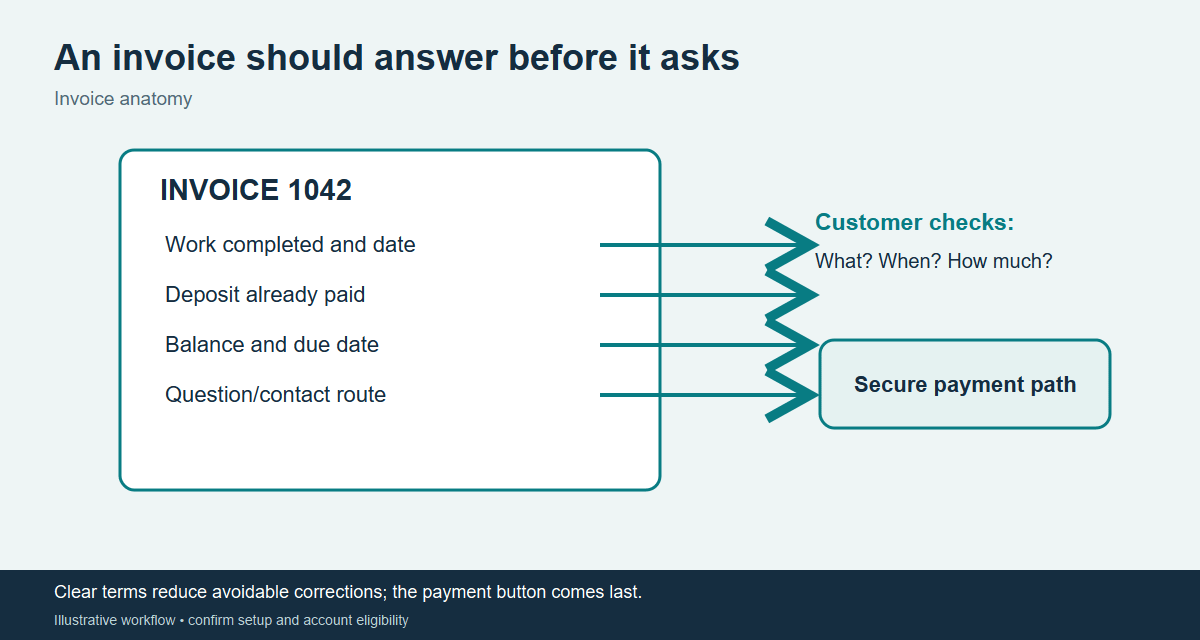
A Columbia County remodeling contractor reaches an agreed project milestone. Before sending the invoice, the office checks the signed scope, labor and material line items, approved change order, prior deposit, remaining balance, due date, and correct billing contact. The invoice should match that record; it should not become a new agreement.
The question the customer actually asks
“Did my deposit count, and is this the final balance?” The staff member should be able to point to the deposit credit, approved changes, and remaining amount. If the invoice is unclear, correct it before asking for payment. A sent or viewed invoice is not proof of a completed payment; confirm the transaction record before marking the job paid.
A measurable workflow check
Illustration, not a promised result: if a contractor sends 20 invoices in a month and 6 trigger clarification calls, clearer deposit and change-order lines might prevent 3 of those calls. Track the real number of calls, corrections, partial payments, and days to payment before and after changing the template.
Trust and staff training
Send customers to the configured secure payment page. Do not ask them to reply with card or bank details. Limit who can edit invoices, issue credits, and process refunds; reconcile changes to the job record.
Training check: Give a trainee two milestone jobs, one with a deposit and one with a partial payment. Ask them to build the invoice, explain the remaining balance to the customer, and show the transaction evidence needed before closing each job.
Ready to look at a merchant account for your business? Start with a short form, and we will walk you through the next steps.