The customer is at the counter. Why is your staff typing card numbers?
Picture the end of an appointment at an Evans veterinary clinic. The receptionist has finished the bill on the office computer. The pet owner is standing at the desk with a card. A disconnected payment process can force the receptionist to re-enter the amount on a separate terminal, compare two receipts, and correct mistakes later. That is a workflow worth examining.
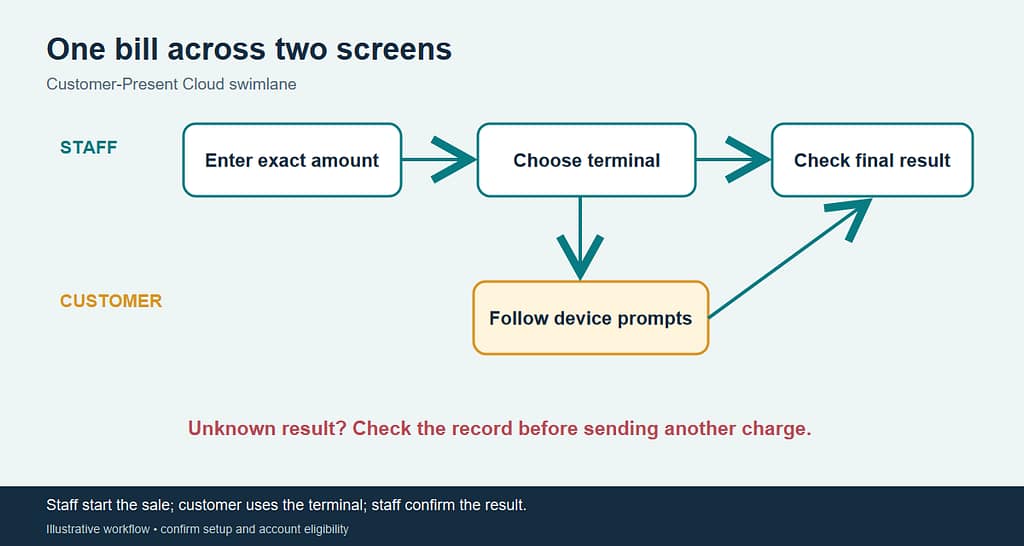
NMI’s Customer-Present Cloud connects a supported payment device to a browser-based payment flow. The employee prepares the transaction in the Virtual Terminal or a compatible point of sale. The customer interacts with the physical device. The transaction result returns to the payment workflow. NMI documents this approach without local payment drivers on each workstation. This Evans clinic is an illustration, not a client result.
What happens during a sale?
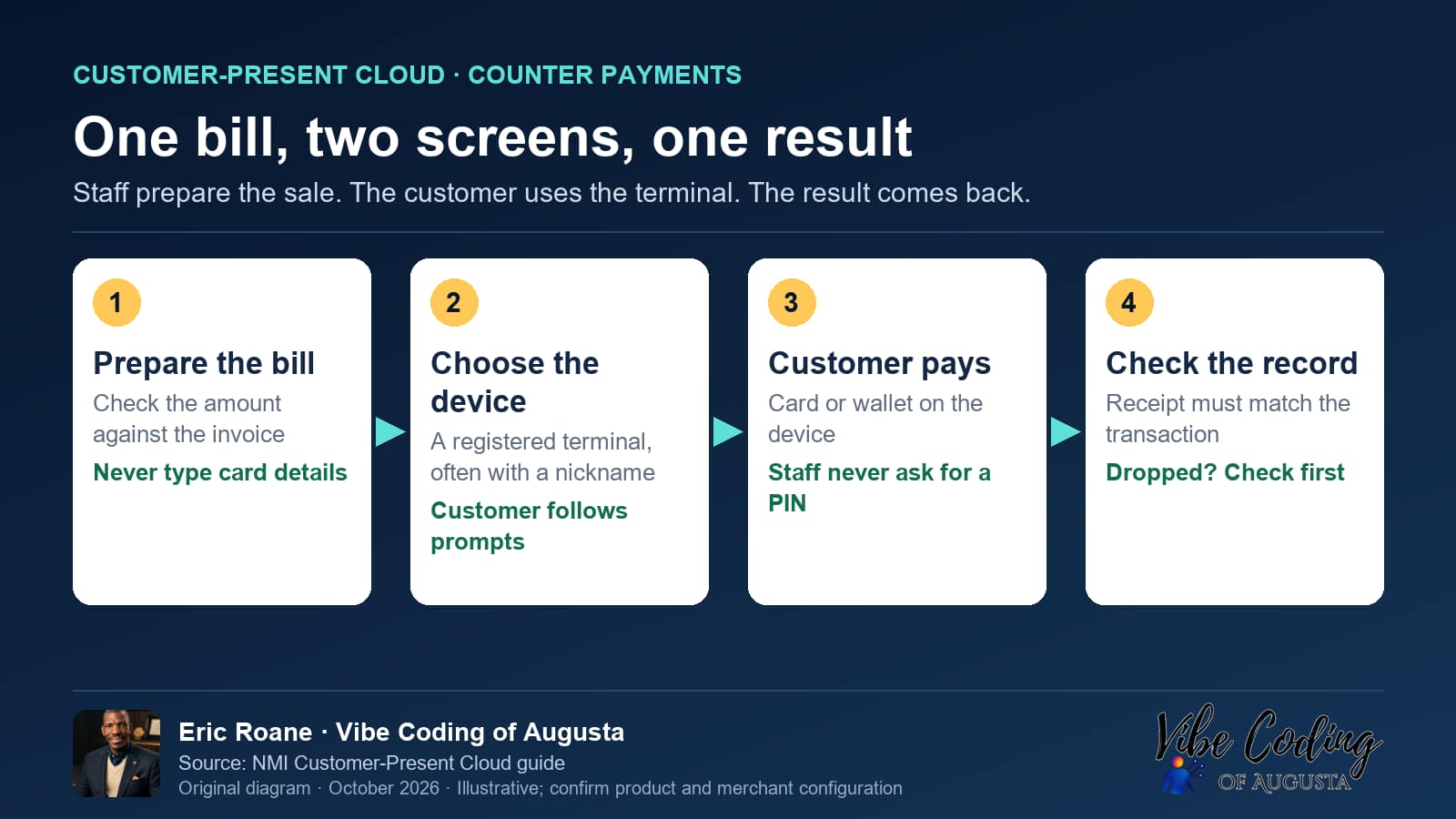
- Prepare the bill. The employee checks the amount against the invoice before sending it.
- Choose the terminal. A registered device can have a nickname, which matters when more than one counter is open.
- Let the customer use the device. Staff should not ask for the customer’s PIN or type card details into the office computer.
- Check the final result. A receipt or success screen must match the merchant transaction record before staff mark the invoice paid.
What does the customer see?
The customer sees a physical terminal and follows its prompts to present a supported card or wallet. They should be able to check the amount. If the terminal displays the wrong amount or disconnects, staff should stop and investigate. The customer should know when the sale is complete and how to get a receipt.
Does every computer need a cable or payment software?
NMI’s current guide describes browser-based integration that avoids local drivers and operating-system-specific installs. The terminal still needs power, network access, registration, and a supported merchant setup. NMI’s documented Lane-series setup uses Ethernet and a rotating registration code. The exact equipment and connection method must be verified for the merchant.
For a CSRA office with two reception stations, test whether one terminal can be shared without staff selecting the wrong device. A busy counter may need a different arrangement. Do not promise a hardware-free setup: NMI’s guide requires a compatible physical terminal, and equipment cost depends on the agreement.
What advantage can the owner measure?
For one week, record front-desk payment count, duplicate amount entry, corrections, and time spent matching invoices to transactions. After a controlled pilot, compare the same measures. For illustration, 25 payments per day multiplied by 30 seconds of avoided duplicate entry equals 12.5 staff minutes per day, or 62.5 minutes across five business days. That is arithmetic for planning, not a measured saving or guarantee. It excludes equipment, network, processing, and support costs.
What if the connection drops?
Treat an interrupted payment as unknown until checked. Look at the terminal and merchant transaction record before sending the same charge again. Ask the provider to demonstrate what the cashier and customer see during an outage, how an unfinished request clears, and who reconciles a result that appears on one screen before the other.
Does the terminal make the office PCI compliant?
No single device makes a merchant automatically compliant. In NMI’s documented flow, card details are collected by the device and are not included in the browser application’s payment request. The business still needs supported equipment, portal access controls, network security, device inspection, and the PCI responsibilities that apply to its full setup. Do not assume that cloud connectivity means a validated point-to-point-encryption deployment.
Is this a fit for your counter?
Ask for a live demonstration of the exact terminal and processor combination. Confirm device registration, amount routing, approved and declined results, refunds, outage handling, receipts, equipment terms, and support ownership. Vibe Coding of Augusta can help map your current front-desk workflow and identify the questions to put to the payment provider. No specific device, rate, or approval is promised here.
Source: NMI’s Customer-Present Cloud setup guide.
Ready to look at a merchant account for your business? Start with a short form, and we will walk you through the next steps.